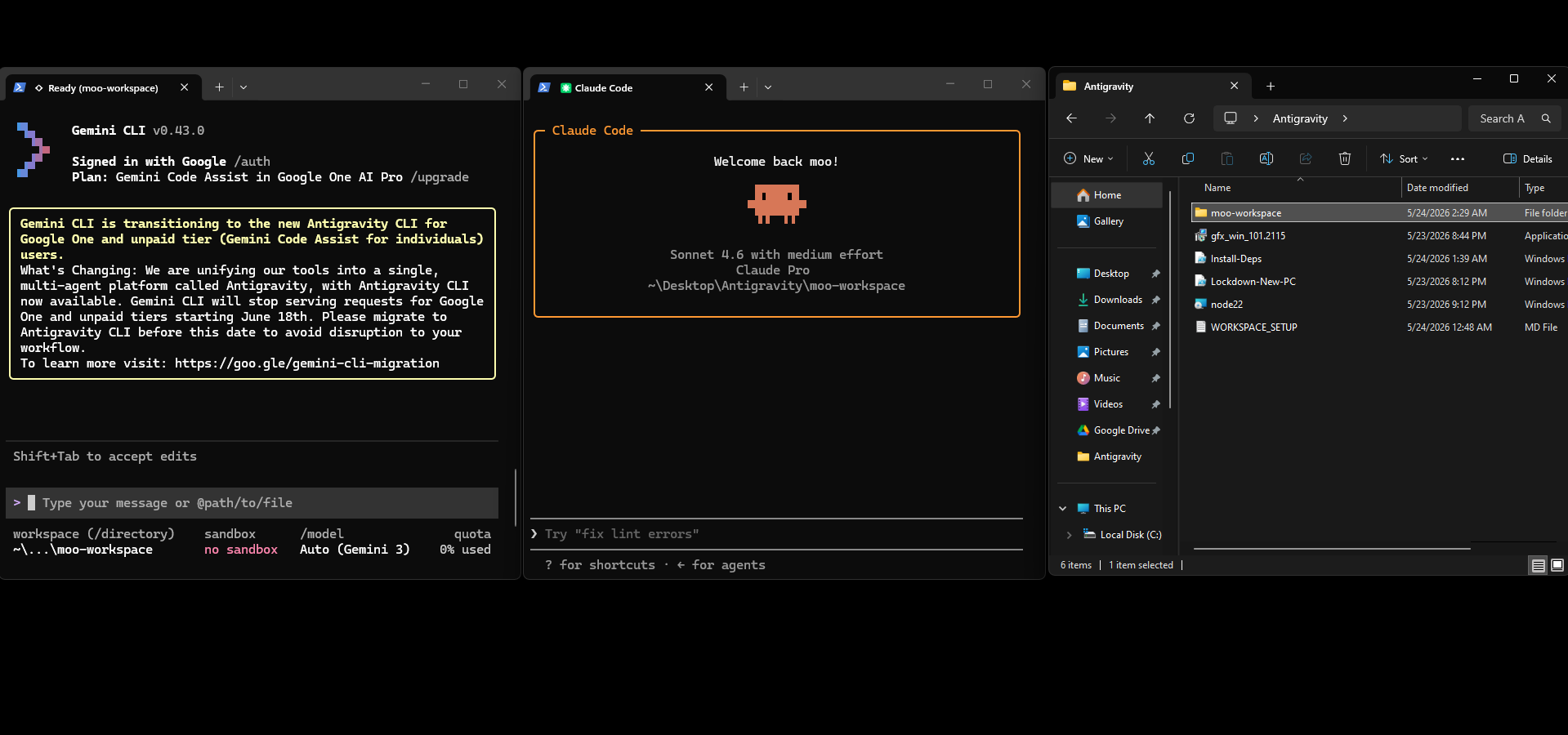
I don't use an IDE to maintain this site. I use two terminal windows — one running Claude Code, one running Gemini CLI — and a markdown file that the two of them read and write to pass the work between sessions. It sounds rougher than it is. In practice it feels closer to having two focused collaborators than it does to typing commands into a shell.
The basic pattern is: I tell one agent what I want, it does the work, logs what it did and what should happen next, then I switch terminals and the other agent picks up from that log. Neither one holds state between sessions — the log is the memory. That single constraint forces everything to be written down clearly, which turns out to be most of the discipline you'd want from any development process anyway.
The log is the memory. If it isn't written down, it didn't happen.
Why it works like an IDE
An IDE gives you a file tree, a way to run code, a way to catch errors, and a way to navigate between things. This setup does all of that — just through conversation. I describe a change, the agent finds the relevant files, makes the edit, runs the Playwright test suite, and reports back. If something fails it fixes it. If something is outside what I told it to touch, it flags it rather than going off-script.
The constraint layer is a file called .cursorrules — a set of architectural rules both agents have to follow. No heavy frameworks, no touching core files without permission, all prototyping stays in the scaffold/ folder. It functions like a project-level linter for behaviour. The agents read it at the start of every session, so I don't have to re-explain the ground rules every time.
What I actually do
In practice my job is closer to a director than a developer. I describe what I want — a tag system on the blog, a scroll-fade on the nav logo, a hero image in a post — and the agents handle the implementation. I review the result, approve it or push back, and the log gets updated. Playwright runs after every meaningful change so I know immediately if something broke elsewhere on the site.
It's not magic and it's not fully automatic. The agents disagree sometimes, make assumptions, occasionally introduce a regression that the tests catch. But the feedback loop is fast enough that none of that is expensive. The whole thing runs on a laptop with no build pipeline, no deployment infrastructure, no framework to maintain. Just files, a terminal, and a shared document that keeps the work honest.